Flat list or color grid
Folders show as a clean scannable list by default. Prefer to recognize by color instead of reading names? Right-click a folder, assign it a color, and switch to color view any time.
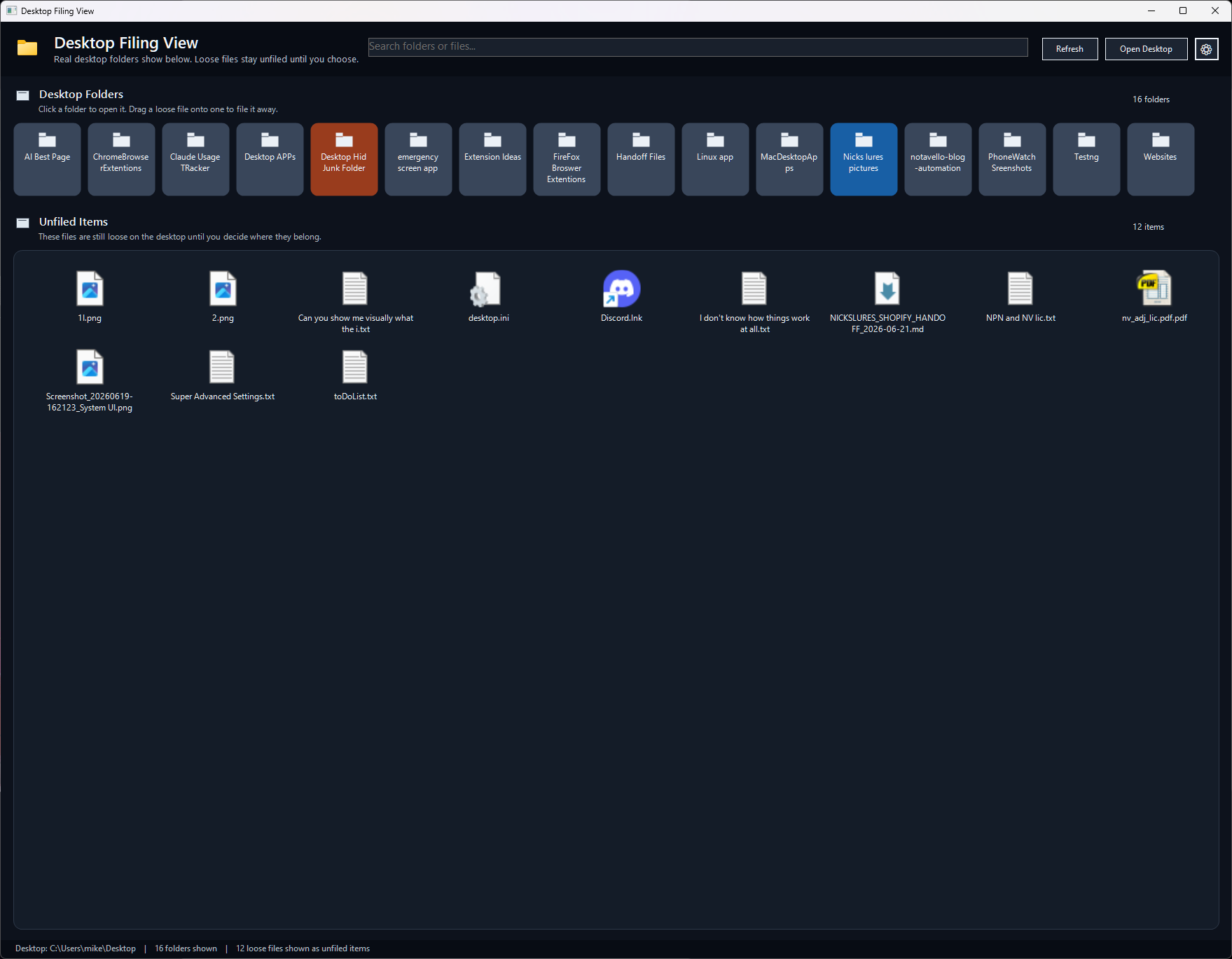
Desktop Filing View shows your real desktop folders as a flat, scannable list — or a color-coded grid if you think in colors, not names. Loose files stay separated as Unfiled Items until you drag one onto a folder. No popups, no fake filing cabinet, just your desktop laid out clearly.
Free Windows tray utility. Runs on your actual desktop folder — nothing moves until you drag it there yourself.
Why it helps
Folders show as a clean scannable list by default. Prefer to recognize by color instead of reading names? Right-click a folder, assign it a color, and switch to color view any time.
Drag a loose file onto a folder and it's filed — no "are you sure?" popup breaking your flow. Changed your mind? Ctrl+Z puts it right back where it was.
Pin the window borderless behind your other windows so it sits like part of the desktop itself, instead of another app competing for space.
A handful of icons is easy to scan by eye. Sixteen folders and a dozen stray files is a different problem — you're hunting, not scanning, and every generic folder icon looks identical to the one next to it.
Desktop Filing View doesn't reorganize your desktop or move anything on its own. It just shows you what's actually there — folders as a readable list, loose files kept visibly separate — so you can find what you need and file the rest in one drag.
Install it, open it when your desktop gets away from you, and file the loose stuff in a few drags. It stays out of the way the rest of the time.
Windows setup installer. Because this is a direct download, Windows may show a trust warning until the app is code-signed or distributed through a store.
Download installer →The installer is hosted on GitHub Releases so it stays outside the website deploy and avoids static-site file size limits.
Simple workflow