Drag-to-edge snapping
Drag any window toward the left or right edge and it snaps into that zone. No hotkeys to memorize, no menus to hunt through — just drag and let go.
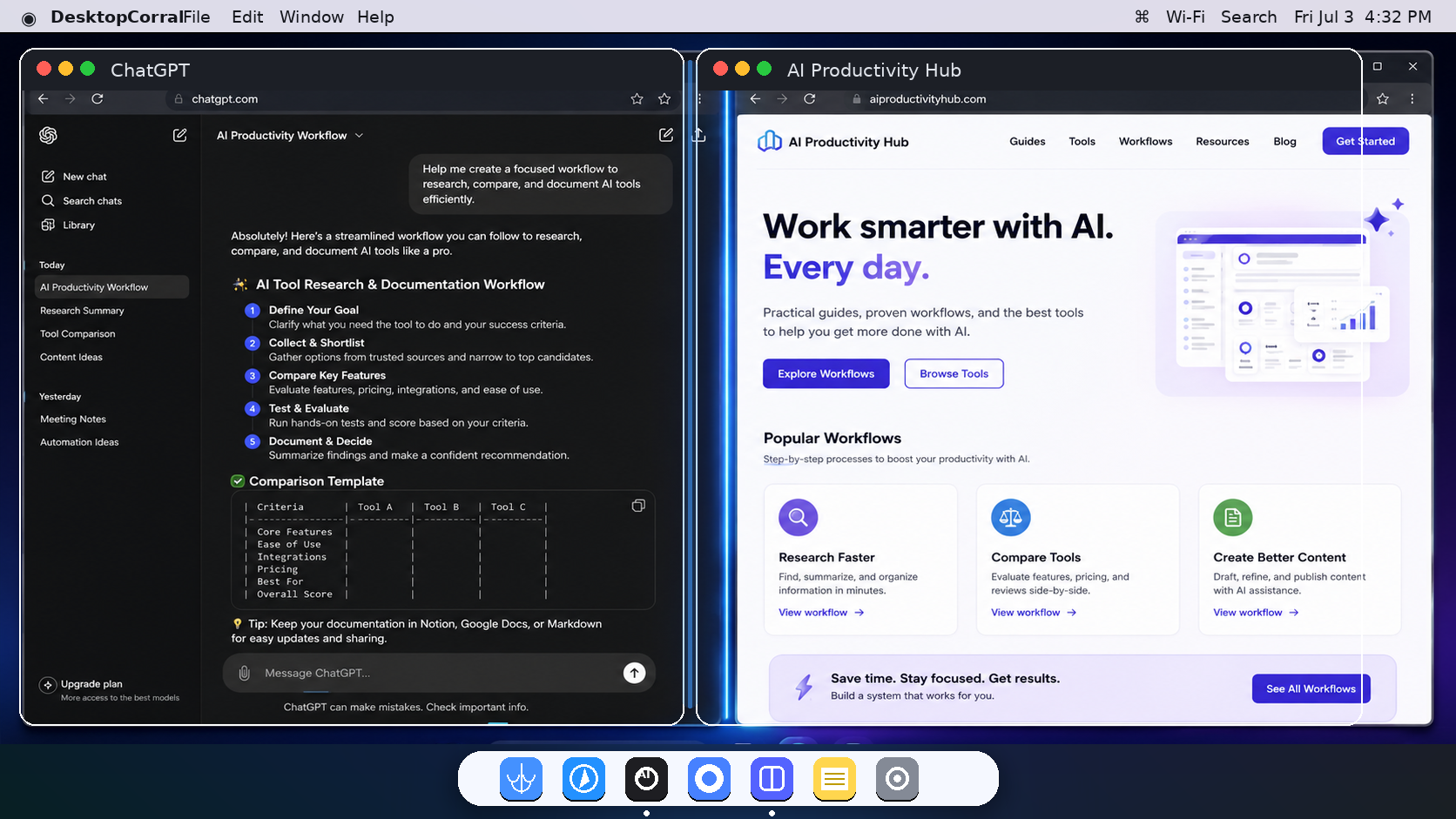
AI Desktop Corral keeps your Mac's windows in two clean side-by-side zones. Drag a window to the left or right edge and it snaps into place — your AI assistant on one side, your work on the other — and stays where you put it.
Free menu-bar utility for macOS. Universal — runs on Apple Silicon and Intel. Notarized by Apple.
Why it helps
Drag any window toward the left or right edge and it snaps into that zone. No hotkeys to memorize, no menus to hunt through — just drag and let go.
Your AI assistant stays on one side, your browser or doc on the other. Choose the split — 50/50, 60/40, 70/30 — and the layout holds.
Send the active window left (⌃⌥←), right (⌃⌥→), or fill its zone (⌃⌥M). Lives quietly in the menu bar — no Dock clutter.
You drag a window to one side. You resize it. You line up the next one. Then something opens off-center and the whole layout drifts, and you do it all again.
AI Desktop Corral holds a clean two-zone split for you. Drag a window to an edge and it snaps into that zone at the exact size you set. Your AI stays put on one side, your work on the other, and the arrangement stops fighting you.
Install it, grant Accessibility once, and keep your desktop split into clean left and right zones. It is intentionally small because the point is to get out of the way.
Universal macOS app, notarized by Apple. On first launch macOS shows a confirmation because it's a downloaded app — click Open.
Download for Mac →Hosted on GitHub Releases so it stays outside the website deploy. Requires macOS 26.5 or later and Accessibility permission (the app prompts you on first launch).
Getting started